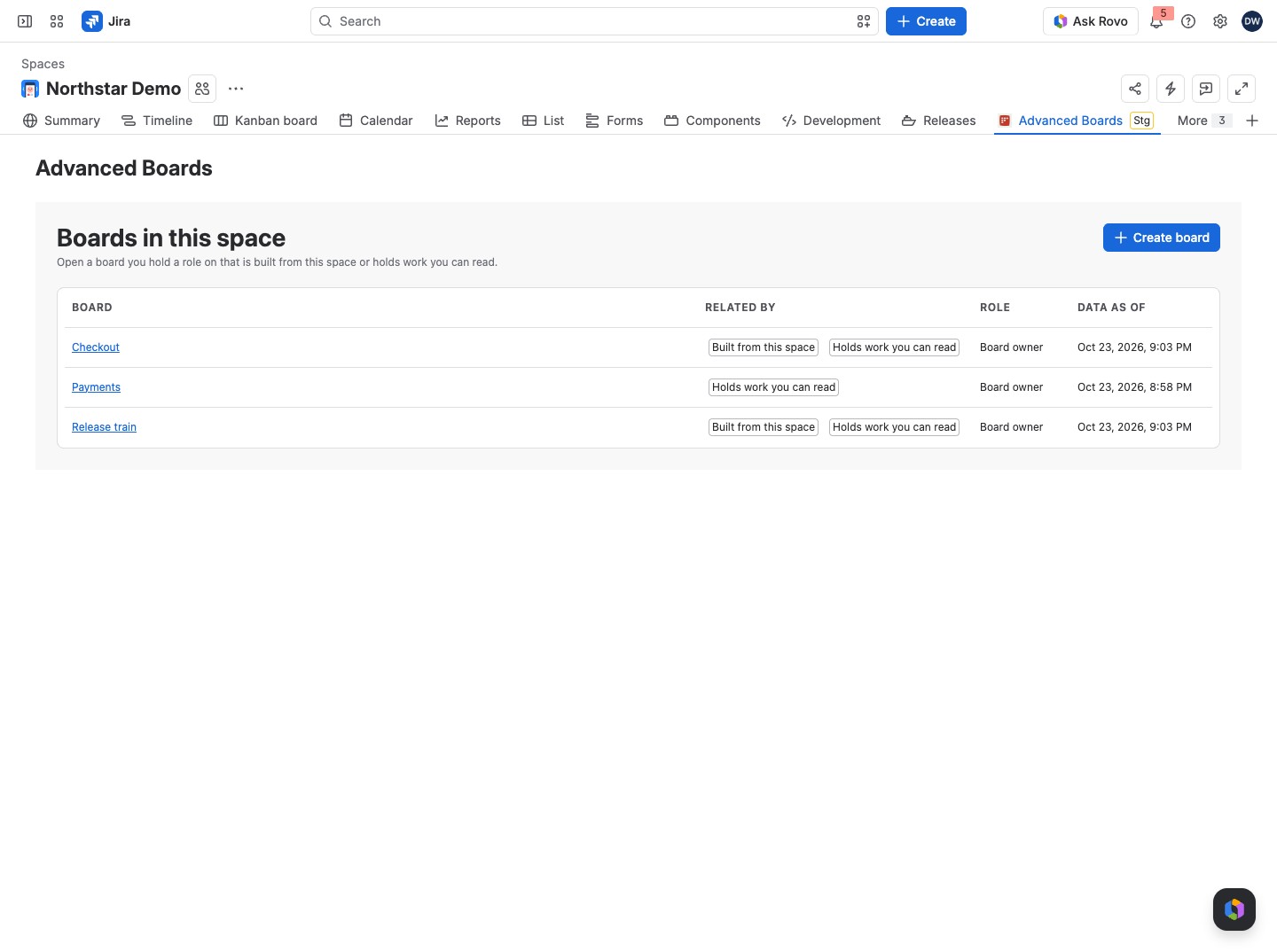
The space page lists, inside a Jira space, the app’s boards that relate to it. Your team finds its boards where it already works in Jira. From there you open a board or create one without leaving the space.
Open the page #
- Open a space in Jira, such as ABDEMO.
- Select Advanced Boards in the space’s sidebar.
The page opens on Boards in this space, with a line that you can open a board you hold a role on that is built from this space or holds work you can read. It needs no setup.
What the list shows #
| Column | What it says |
|---|---|
| Board | The board’s name, with a gray “Indexing”, “Paused” or “Deleting” lozenge when the board is not active; select the name to open the board on its Overview |
| Related by | “Built from this space” when the board reads the space as its source, “Holds work you can read” when it holds work items from the space, or both |
| Role | Your role on the board: Viewer, Member or Board owner |
| Data as of | When the board’s data was last read, or “Not read from Jira yet”, with a lozenge beside it when the data is behind the board |
An active, current board shows no lozenge. The others say what state a board is in:
- Indexing: the board is importing its history from Jira.
- Paused: the board is not being rebuilt.
- Deleting: the board is being deleted.
- Import failed, Reindex failed or Refresh failed: red, beside the time; the last import or reindex failed and none has worked since, and its (i) says the data is as of the last update.
- Out of date: yellow, beside the time; the board’s settings changed after its data was calculated.
Each person sees their own list. A board appears only if you hold a role on it; a Jira administrator sees every related board. “Holds work you can read” counts only work items you can read in Jira, so two people can see different lists for the same space. For example, Dana Whitfield sees Checkout, Payments and Release train in ABDEMO, while Ellen Brooks, a Viewer on Checkout, sees Checkout alone.
Create or find a board #
Create board in the page header opens the board wizard with this space chosen (Create your first board). It shows only if you may create boards. When more boards relate to the space than the page lists, select Open the boards directory to see them all (The Boards directory).
How it relates to the boards #
The list follows each board’s source under Configure → “Source & scope” (Source and scope). A board whose source names this space is “Built from this space”. A board that reads a Jira filter or JQL is listed when it holds work items of the space you can read. Your role comes from the board’s access list (Board access and roles). The page has no export.
The work item panel shows how each of your boards counts one work item.
If something looks off #
- “No boards relate to this space yet” with “A board built from this space, or one that holds work you can read, appears here.”: create a board from this space, or ask a Board owner for a role on one.
- “This space holds more indexed work than one check covers, so a board may be missing from this list.”: find the board in the app’s Boards directory (The Boards directory).
- “More boards relate to this space than this page lists.”: select Open the boards directory for the full list.
- “No space to show”: reload the space page.
- “The license is inactive”: the page lists no board while the site has no active license; a Jira administrator checks the license in Administration (Standard and Advanced editions).
- “Waiting for Atlassian to confirm this site’s license”: select Try again after a while; the page lists the boards once Atlassian answers.


