Controls are what turn a static dashboard into one people actually use. You add them once in the Filtering section of your advanced filter, and they appear as a toolbar on every dashboard that uses it.
Three kinds of control #
The difference is mostly how much you decide in advance.
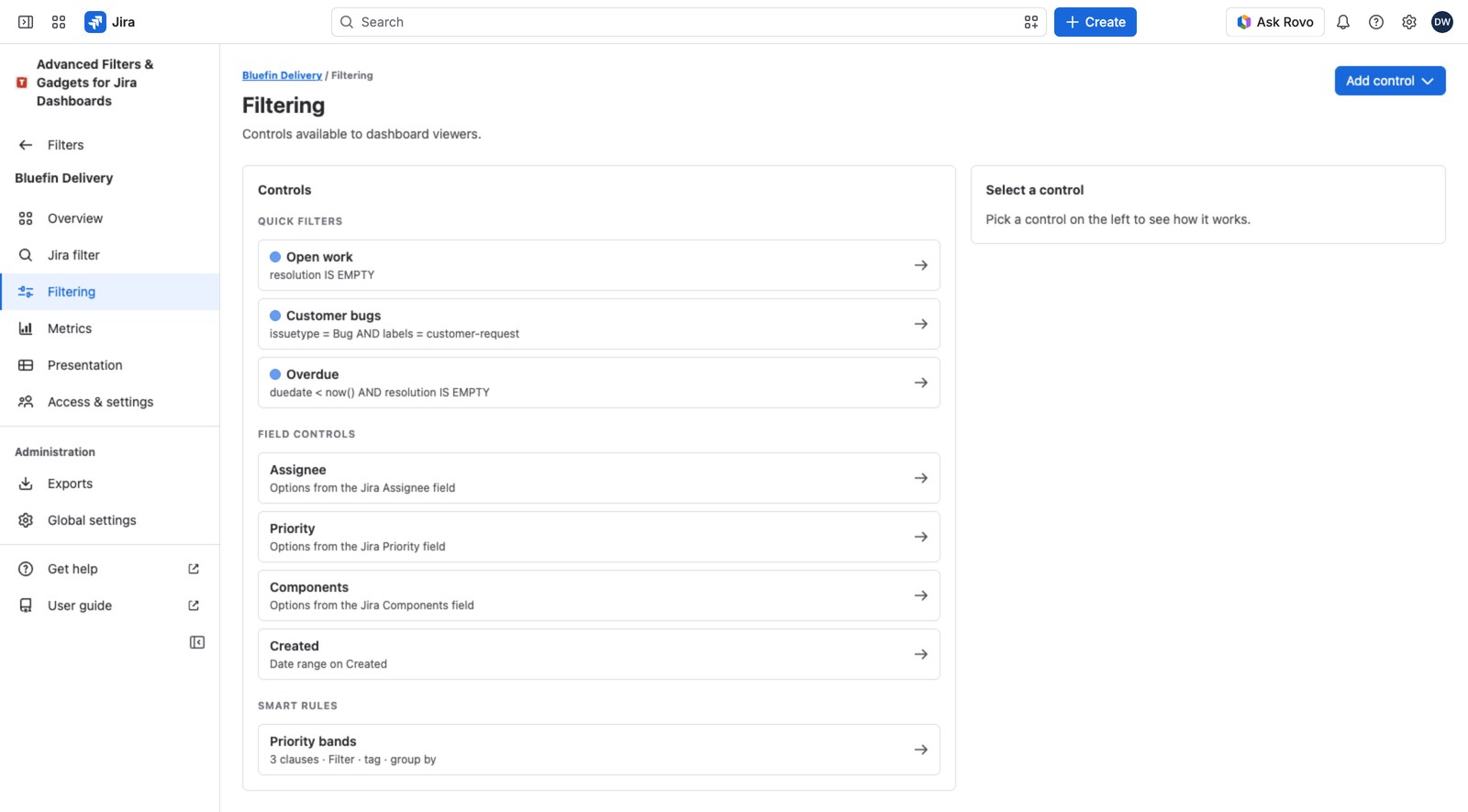
- Quick filter: a one-click on/off toggle you define (“Blockers only”, “Unassigned”).
- Field control: viewers pick their own value from a Jira field (a Component dropdown, a Due date range).
- Smart rule: one question with a few named answers of your own (“Health: On track / At risk / Stalled”).
Quick filters: the one-click toggles #
A quick filter is a name, a color and a bit of JQL you write. On the dashboard it becomes a pill, and selecting it applies immediately. No Apply needed. Select several pills and they stack: work items have to match all of them.
These are the workhorses. If your team keeps asking “can I see just the escalations?”, that’s a quick filter.
Field controls: let viewers choose #
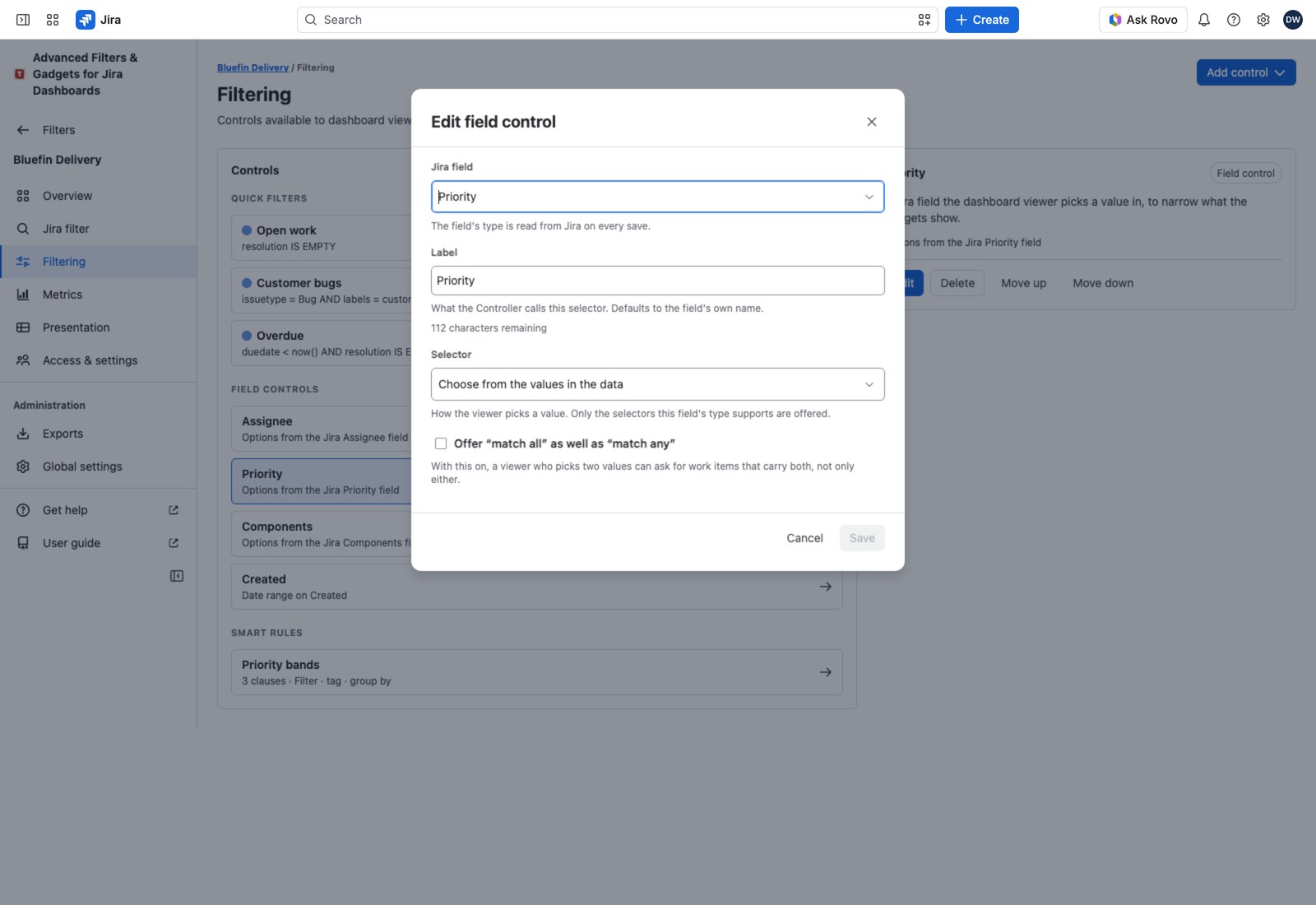
Here you just name a Jira field and the app works out the rest. It reads the field’s type from Jira and gives viewers the right kind of selector: a value picker, a text search, a numeric range, a date range, a work item key search, a parent or linked work item picker. There’s no JQL to write.
The value picker shows counts next to each option, which is often informative on its own. Picking several values means Any of these unless the viewer switches to None of these, or to All of these once you turn on Offer “match all” as well as “match any”. See Advanced Filter Controller for what each does with an empty field.
5, >5, 1:3, empty, !empty. Dates: 2026-01-31, -7d, 2026-01-01:2026-01-31, empty, !empty.If someone types something that doesn’t parse, the box names the term and Apply stays disabled, saying which control to correct. Nothing is applied in part: a value like that arriving in a link or a preset selects no work items, every gadget says so, and the state can’t be saved as a preset or copied as a link.
Smart rules: for things Jira doesn’t model #
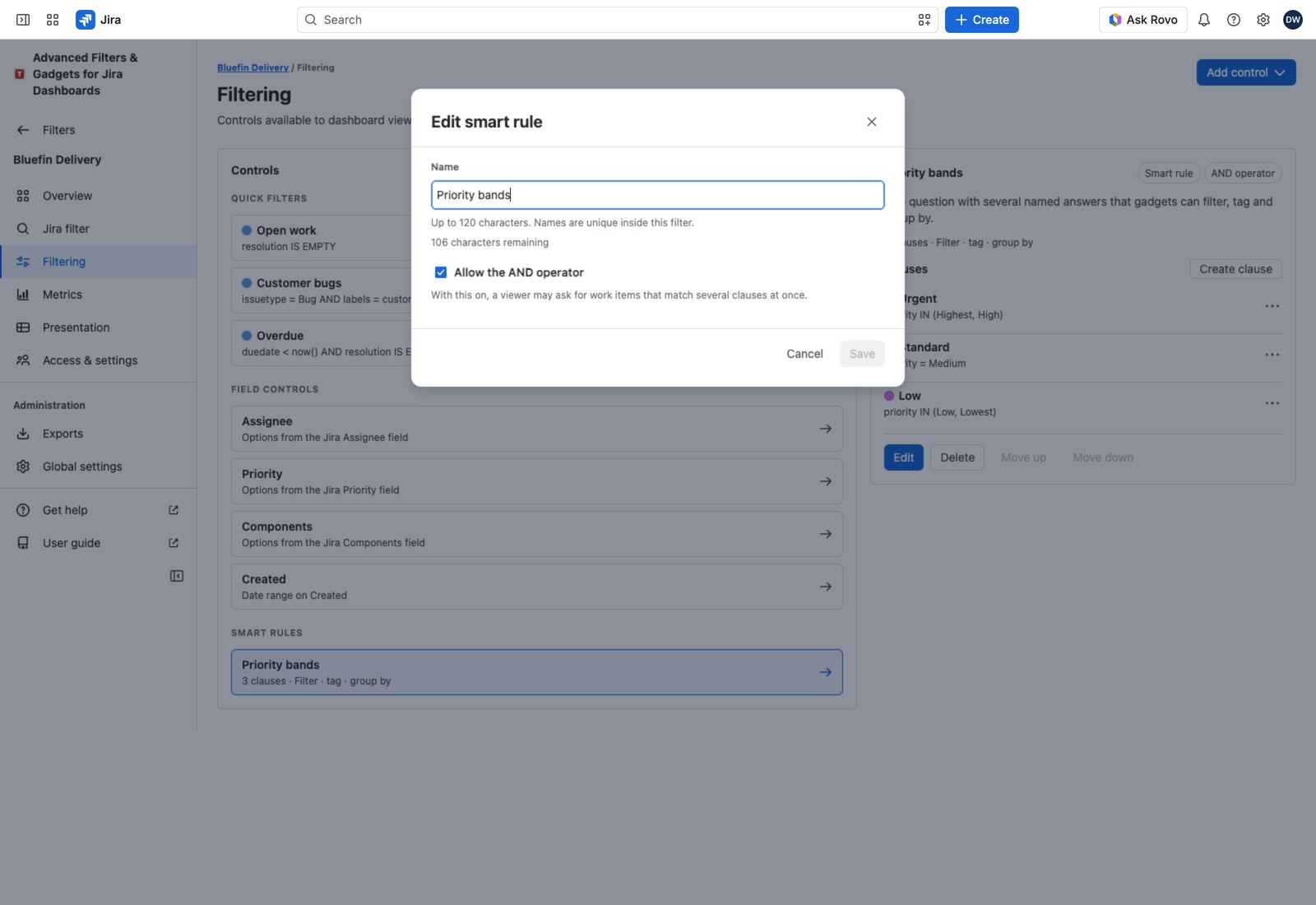
A smart rule is one question with up to ten named answers, and each answer carries its own JQL. This is how you express something your Jira fields don’t: delivery health, triage state, “is this really blocked”, whatever your team argues about in stand-up.
Smart rules earn their keep beyond filtering: gadgets can also group and color by them, so “work items by health” becomes a chart without adding a Jira field.
Clauses are evaluated independently, so a work item can match more than one. That’s allowed, and gadgets that count by clause say as much. Turn on Allow the AND operator if viewers should be able to ask for work items matching several clauses at once; leave it off and picking two means “either”.
How they stack up #
Across different controls, everything narrows. A quick filter, a field control value and a smart-rule selection all have to be true at once. Within a single control, the rules above apply: quick filters stack, field control values are “any” by default, smart rule clauses are “either” unless you allow AND.
Room to grow #
You’re unlikely to hit these, but for the record: an advanced filter holds 300 quick filters, 100 field controls and 100 smart rules of up to 10 clauses each; a quick filter or clause holds 1,000 characters of JQL, and a field control picker offers the first 500 values.
Next #
See Advanced Filter Controller for the toolbar these controls turn into on a dashboard. Editing controls needs the same rights as any other change to the filter: you administer it, you’re a Jira admin, or you hold Manage all advanced filters.


