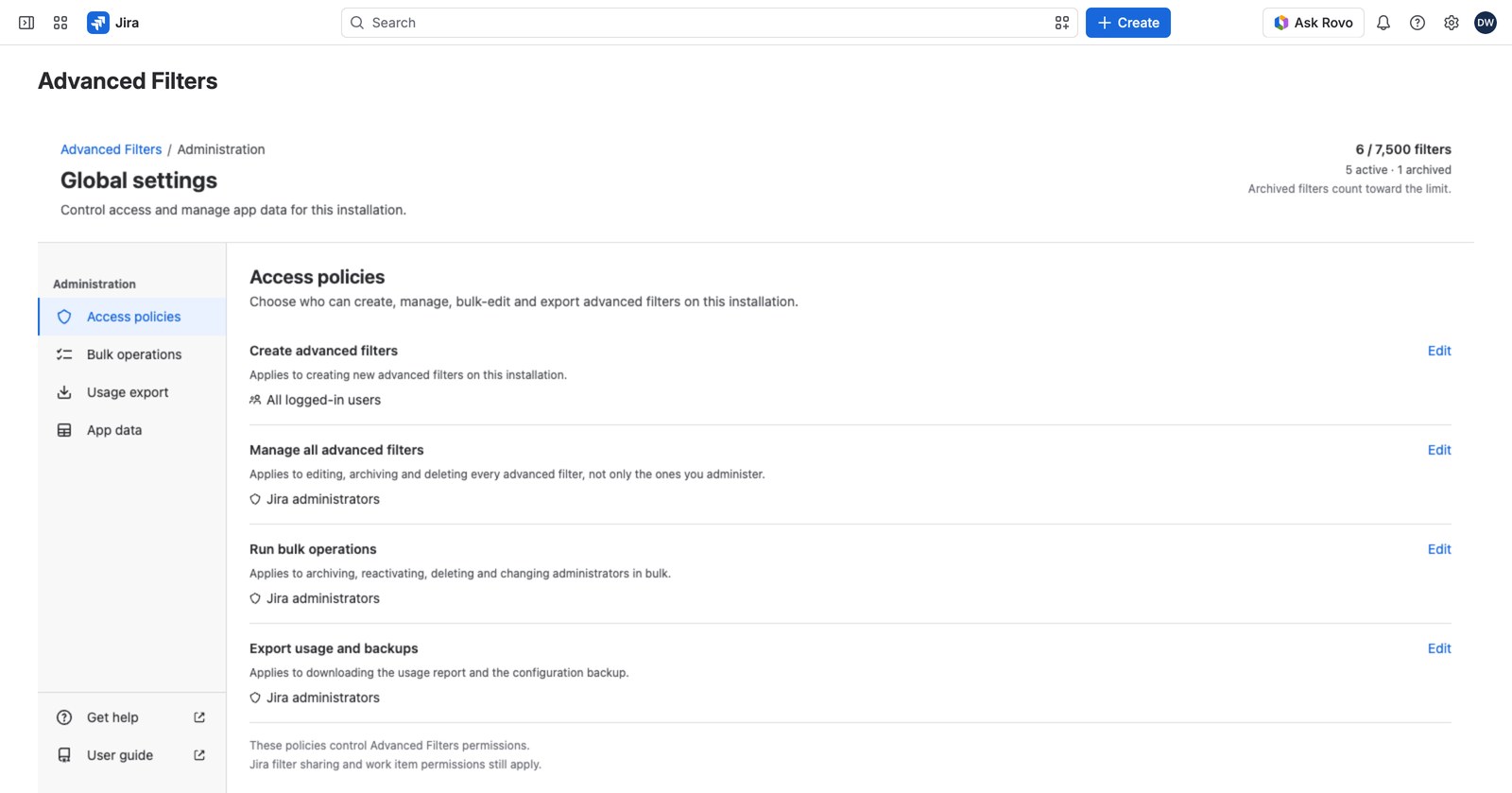
Access policies decide who can do what with advanced filters on this installation. There are four grants, and the defaults are deliberately sensible: most sites never need to change them.
Open Global settings → Access policies to see them.
The four grants #
| Grant | Covers | Default |
|---|---|---|
| Create advanced filters | Making new advanced filters | Everyone logged in |
| Manage all advanced filters | Editing, archiving and deleting every filter, not just your own | Jira administrators |
| Run bulk operations | Archiving, reactivating, deleting and reassigning in bulk | Jira administrators |
| Export usage and backups | Downloading the usage report and the configuration backup | Jira administrators |
Delegating a grant to a group #
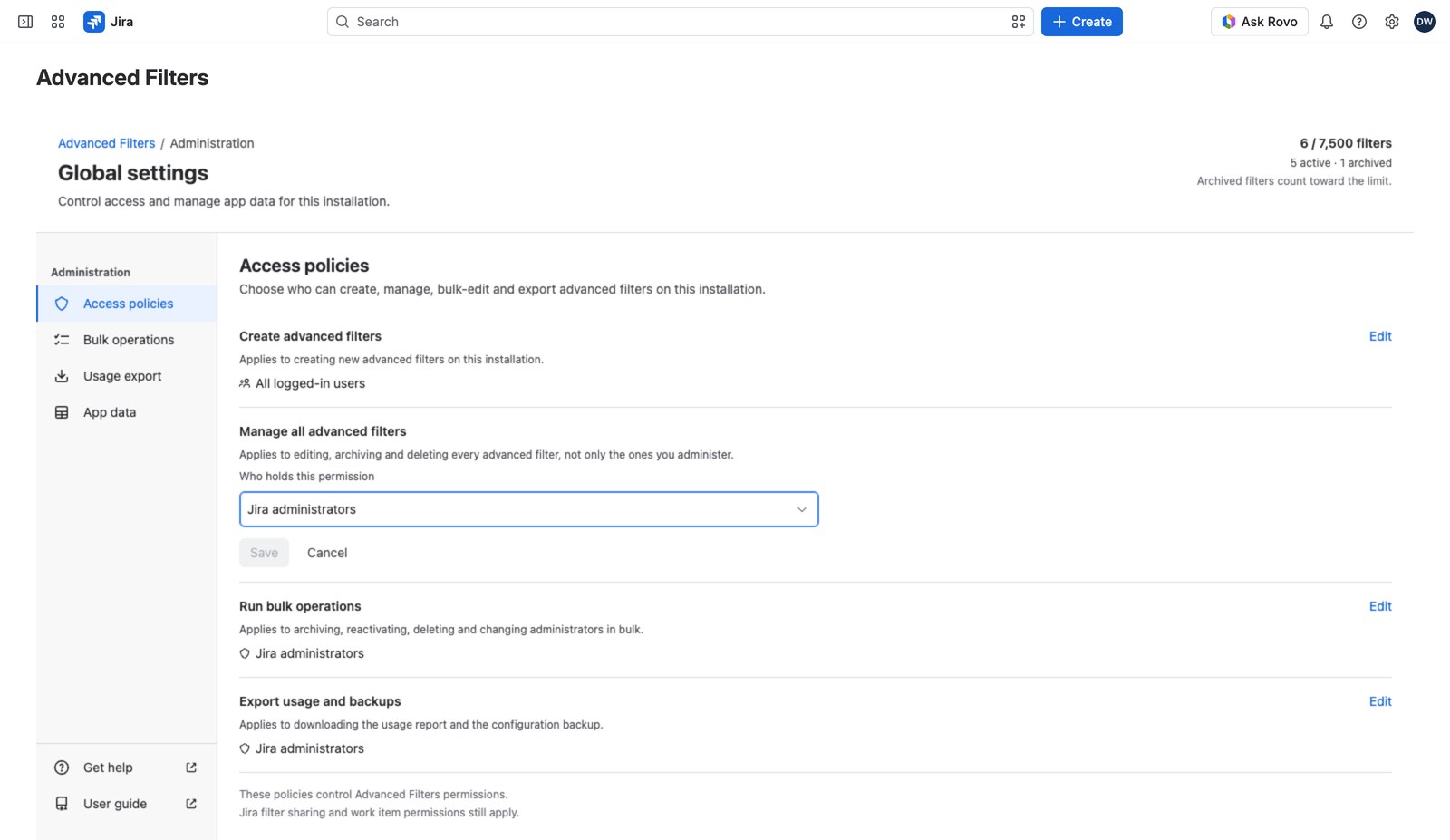
Select Edit on a row. You’ll be asked who holds this permission before you’re asked for groups:
- Create advanced filters: All logged-in users, or Specific groups.
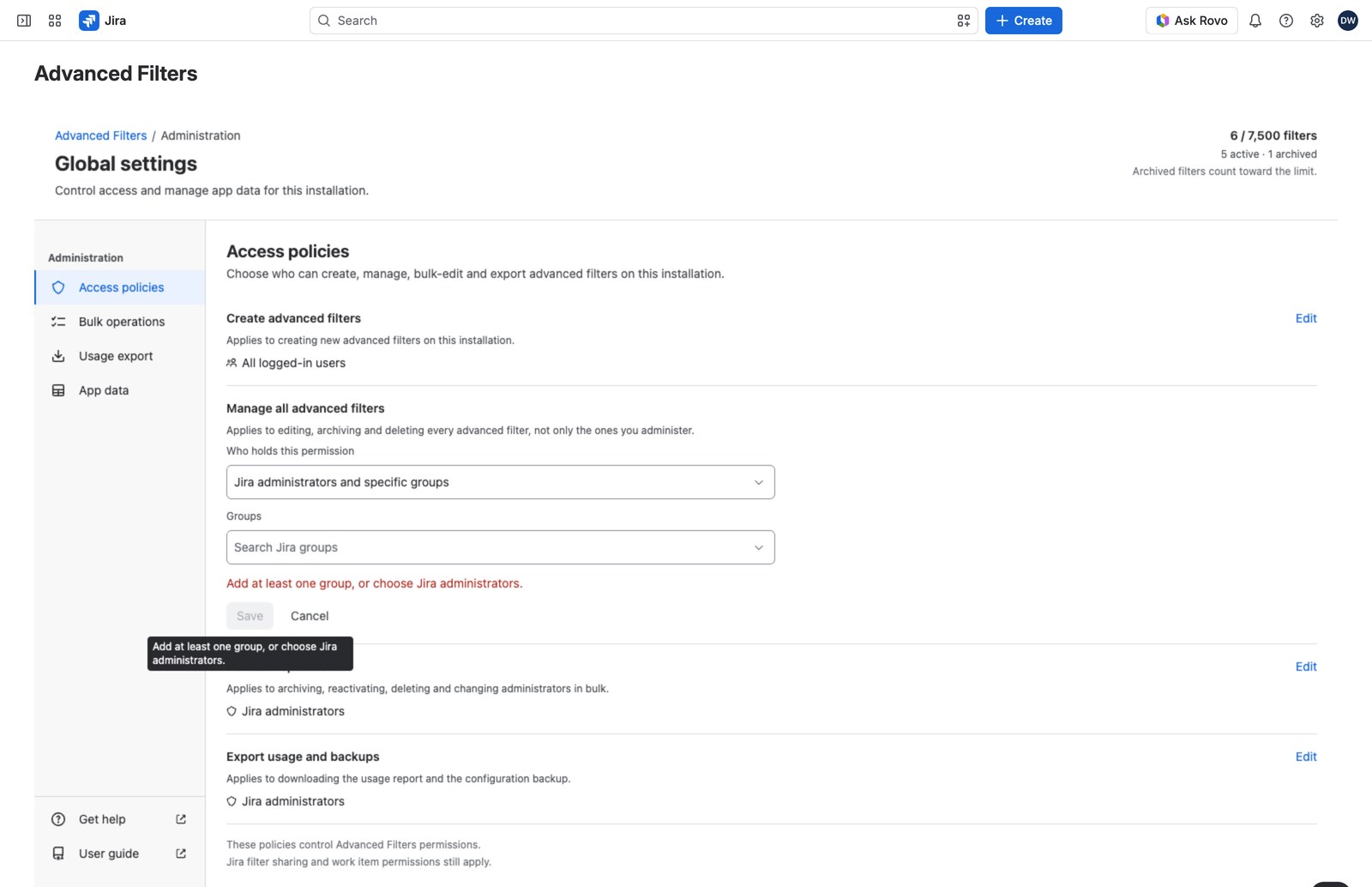
- The other three: Jira administrators, or Jira administrators and specific groups.
Choose groups by name; they’re stored by id, so renaming a group in Jira later won’t break the grant. Up to 100 groups per grant.
A safeguard worth knowing about #
If another administrator saves the same grant while your row is open, the row tells you and refuses to overwrite their change.
What happens when you save #
Changes take effect immediately, for everyone. Nothing about any existing filter’s configuration changes: no administrator lists are touched. What changes is the answer the next permission check gives.
So widening Manage all advanced filters lets its new holders manage every filter that already exists from the moment you save, not just ones created afterward. Worth bearing in mind before you add a large group.
Who can edit policies #
Jira site and organization administrators only. This grant can’t itself be delegated.


