When an installation has accumulated a few hundred advanced filters, tidying them one at a time isn’t realistic. Bulk operations let you archive, reactivate, delete or reassign up to 25 filters in one action.
Open Global settings → Bulk operations. It also appears on the filter list itself for anyone holding Run bulk operations, Jira administrators included.
The five actions #
| Action | Typical use |
|---|---|
| Archive | Clearing finished spaces out of everyone’s filter list |
| Reactivate | Bringing filters back after an auto-archive |
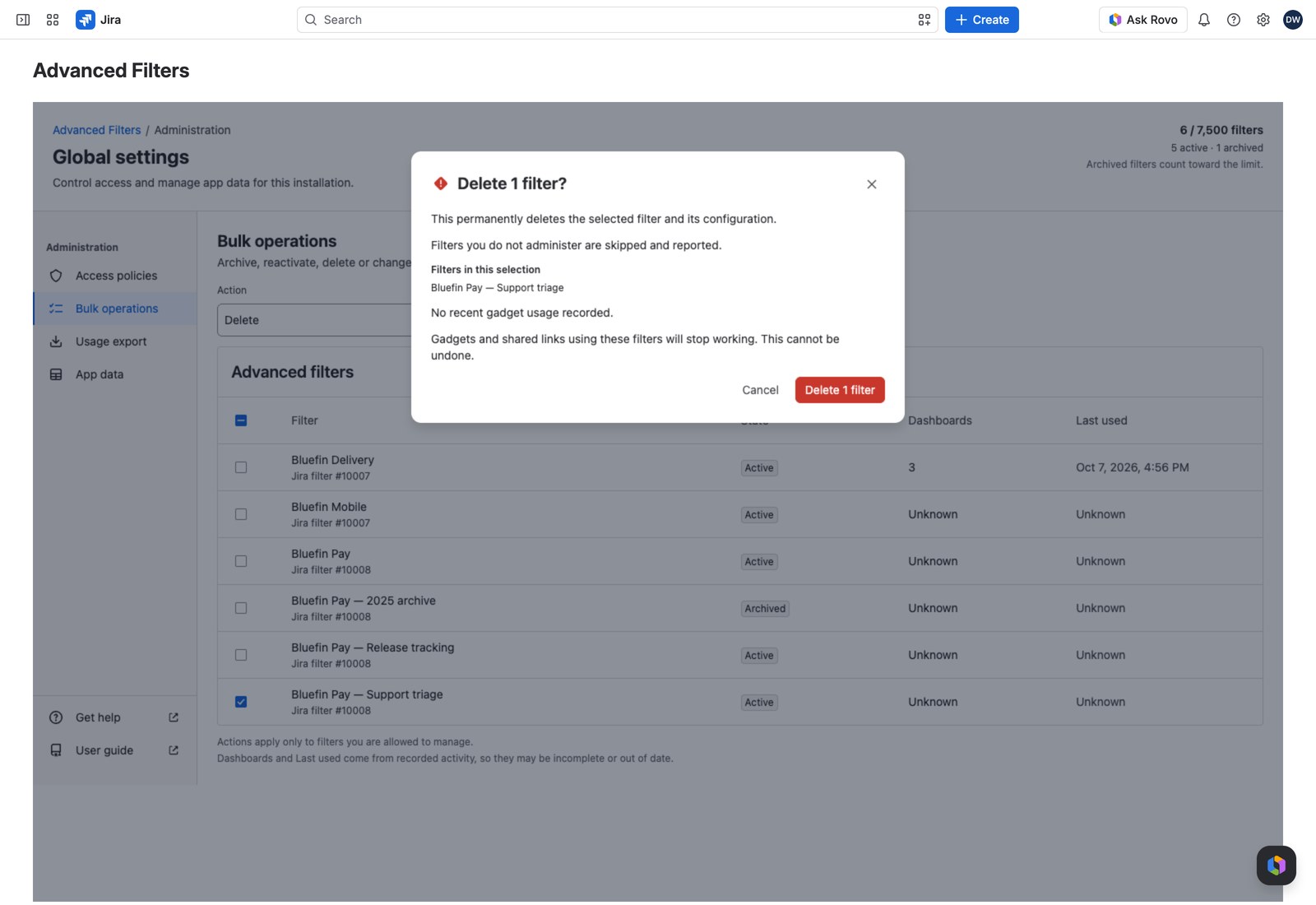
| Delete | Freeing capacity (the only thing that does) |
| Add administrator | Onboarding someone, or covering a leaver’s filters |
| Remove administrator | Offboarding |
Running one #
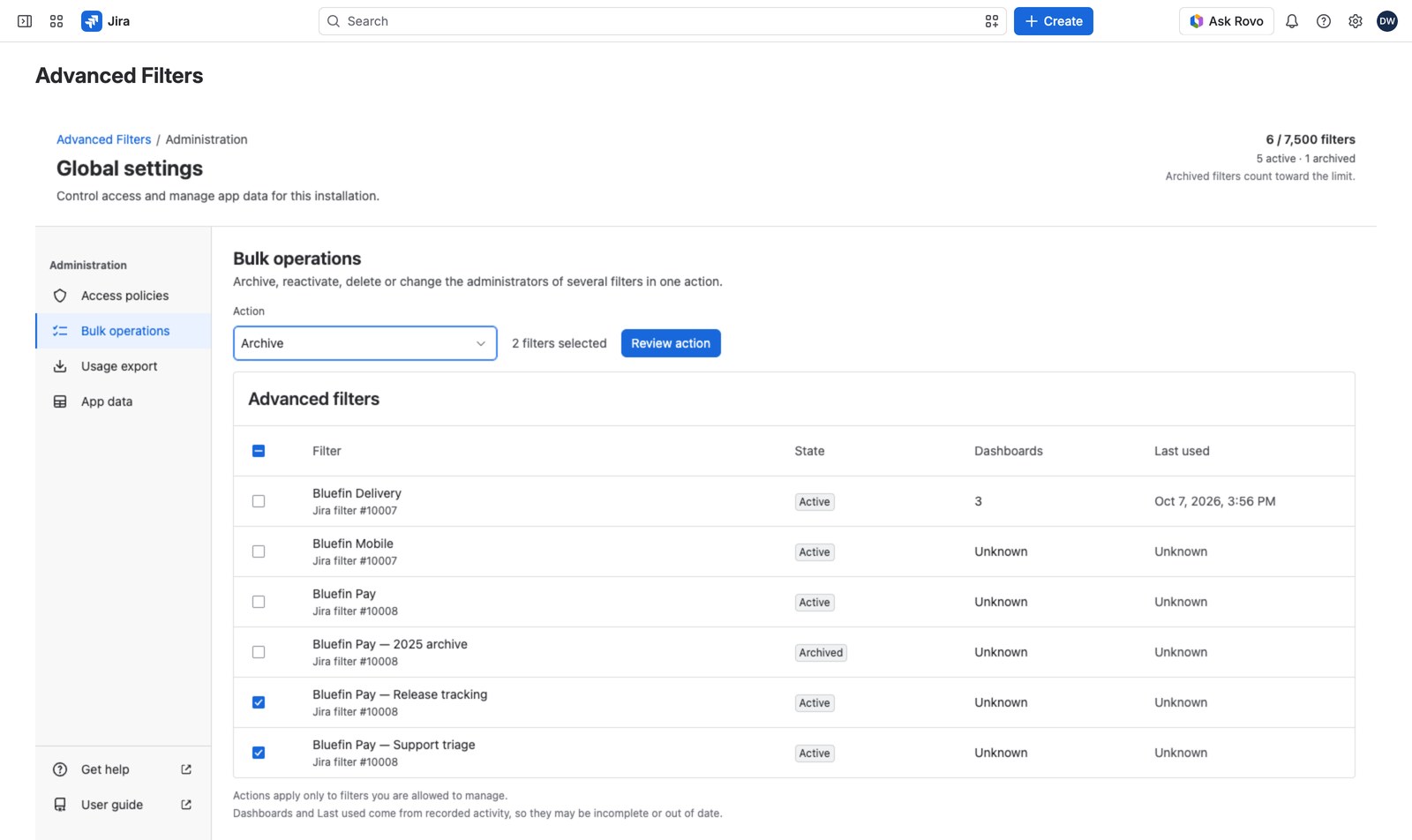
- Choose the action first, above the table. Nothing is preselected.
- Select the filters you want. The count of selected filters shows beside the action.
- Select Review action.
- Read the confirmation, then confirm.
The table shows up to 50 filters at a time, ordered by name. If the installation has more, use Open the filter list. It runs the same actions over a search rather than a fixed page, which is usually what you want anyway.
The confirmation #
You’ll get a dialog naming the action and the count (“Archive 2 filters?”, “Delete 12 filters?”), listing ten by name with Show all N filters for the rest. Focus opens on Cancel.
Reading the result #
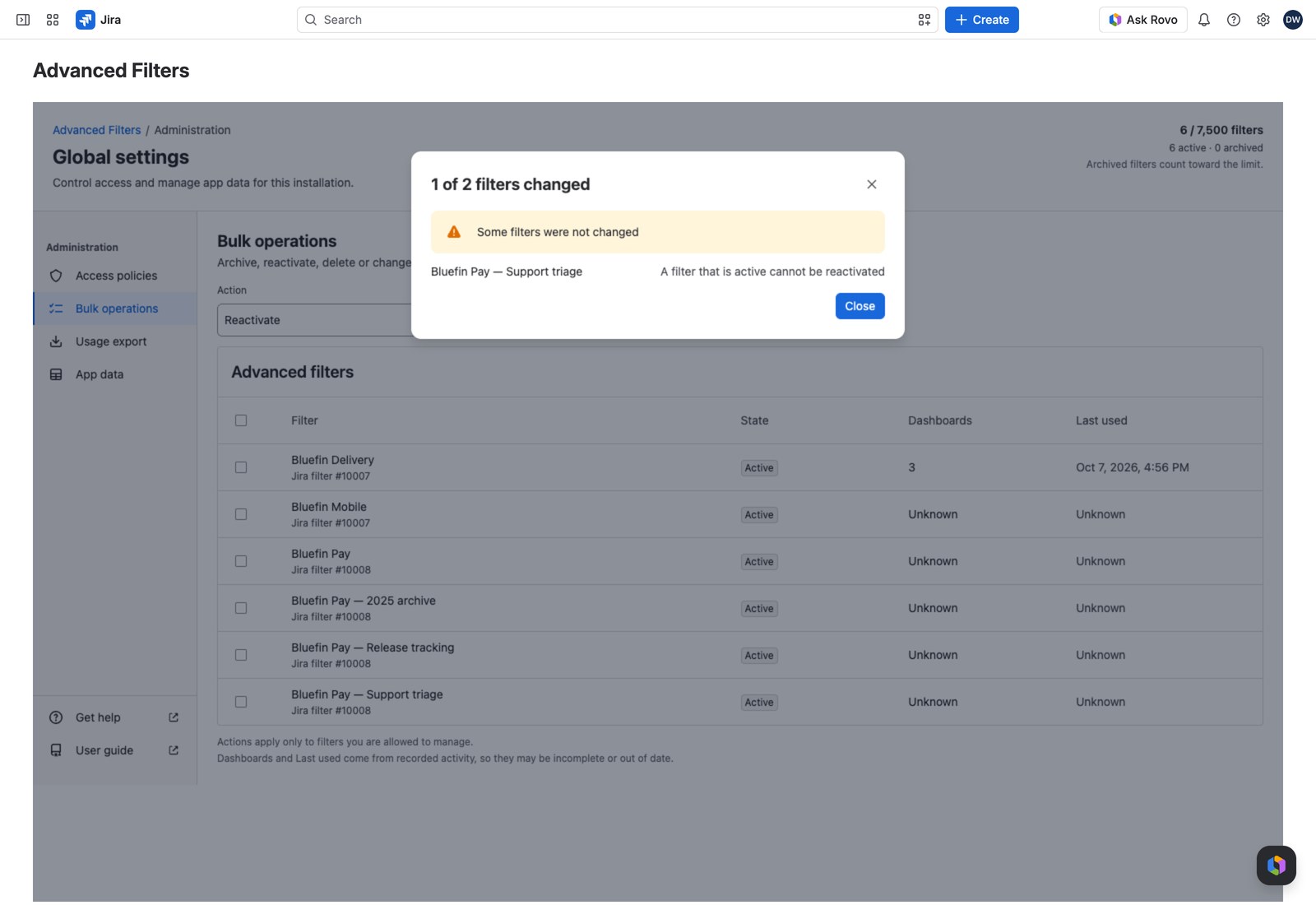
Every filter is checked individually, so it’s normal for an operation to apply to some and skip others. The report says “N of M filters changed” and lists every one that didn’t, with the reason:
- Not available to you / You do not administer it: the grant opens the page; it doesn’t widen what you can do to any individual filter.
- Changed by somebody else: someone edited it after your table loaded, so it’s reported rather than swept along.
- A filter that is active cannot be reactivated: Archive and Delete give the equivalent reason.
- Could not be changed: something else went wrong.
Who can run them #
Run bulk operations, held directly or as a Jira administrator. See Access policies to delegate it to a group.


