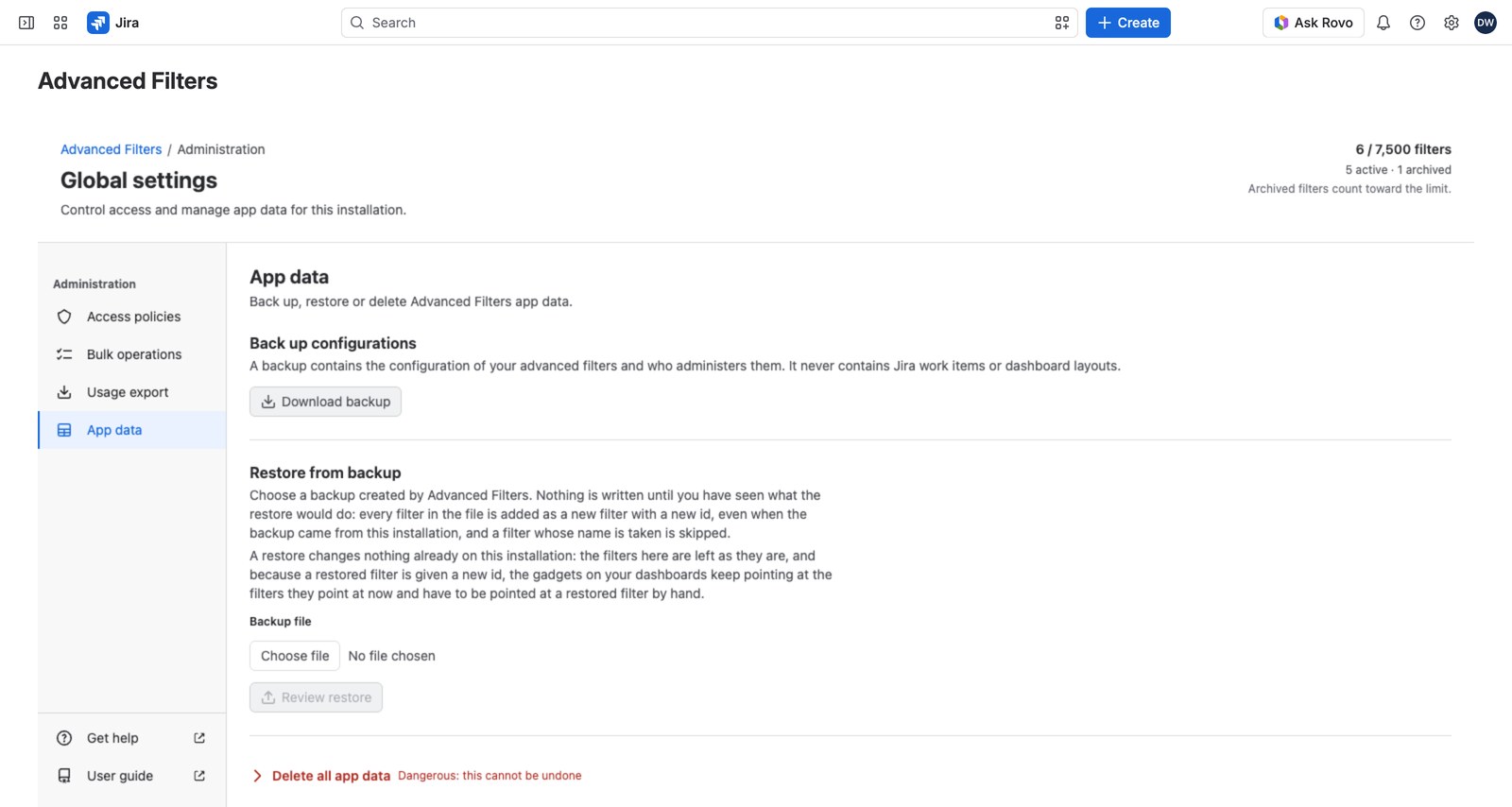
Global settings → App data is where you take a backup of everything people have built, restore it if something goes wrong, and remove the app’s data entirely if you ever need to.
Taking a backup #
Download backup gives you a JSON file containing, for every filter (active and archived alike):
- The filter itself and its administrators
- All seven configuration collections: quick filters, field controls, smart rules, queues, custom values, custom ratios and time series
- Its views
It’s named with the date and time (advanced-filters-backup-2026-09-15-1430.json) and carries a checksum that a restore verifies before reading anything.
Left out on purpose: personal favorites, presets and dismissals; gadget bindings (they name dashboards a restore can’t re-point); and any Jira work item data.
Restoring #
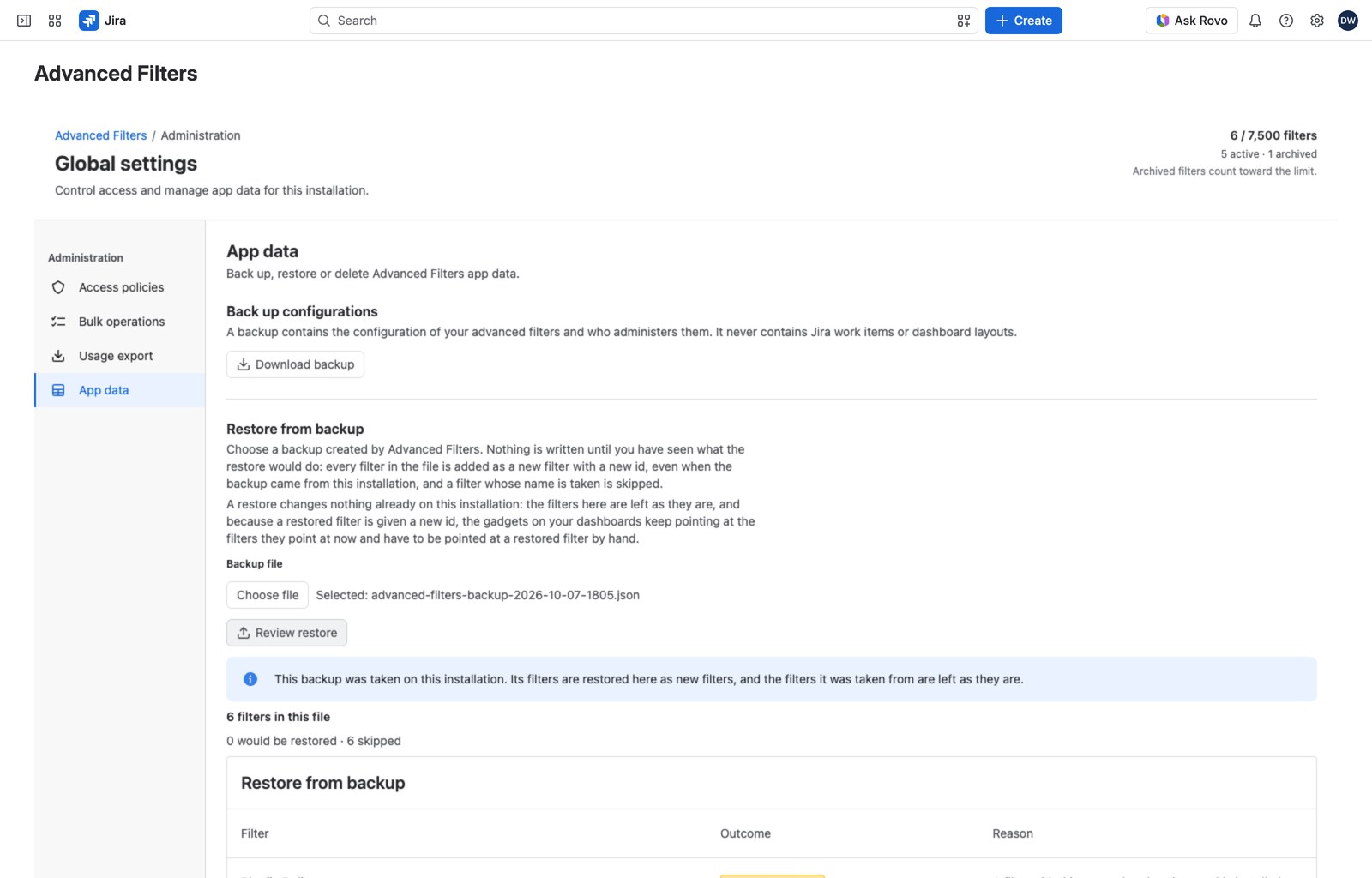
Before you choose a file, the panel says what a restore does. Every filter in the file is added as a new filter with a new id, even when the backup came from this installation, and a filter whose name is taken is skipped. Nothing already on this installation changes.
Two steps, and the first one changes nothing.
- Choose a file and select Review restore. You get a dry run: how many filters the file holds, how many would be restored, and how many would be skipped, each with a reason (Name already taken, Jira filter not available to you, Installation is full, and so on).
- Restore the filters appears only once the dry run confirms something would actually change.
Afterward the report lists every filter in the file as Restored or skipped, with the reason.
Backups taken on a different installation are accepted, and older backup files still restore. Files can be up to 64 MB.
If a restore stops part way it shows you what it had already written and hides the button, so the same half-applied file can’t be run again by accident.
Deleting all app data #
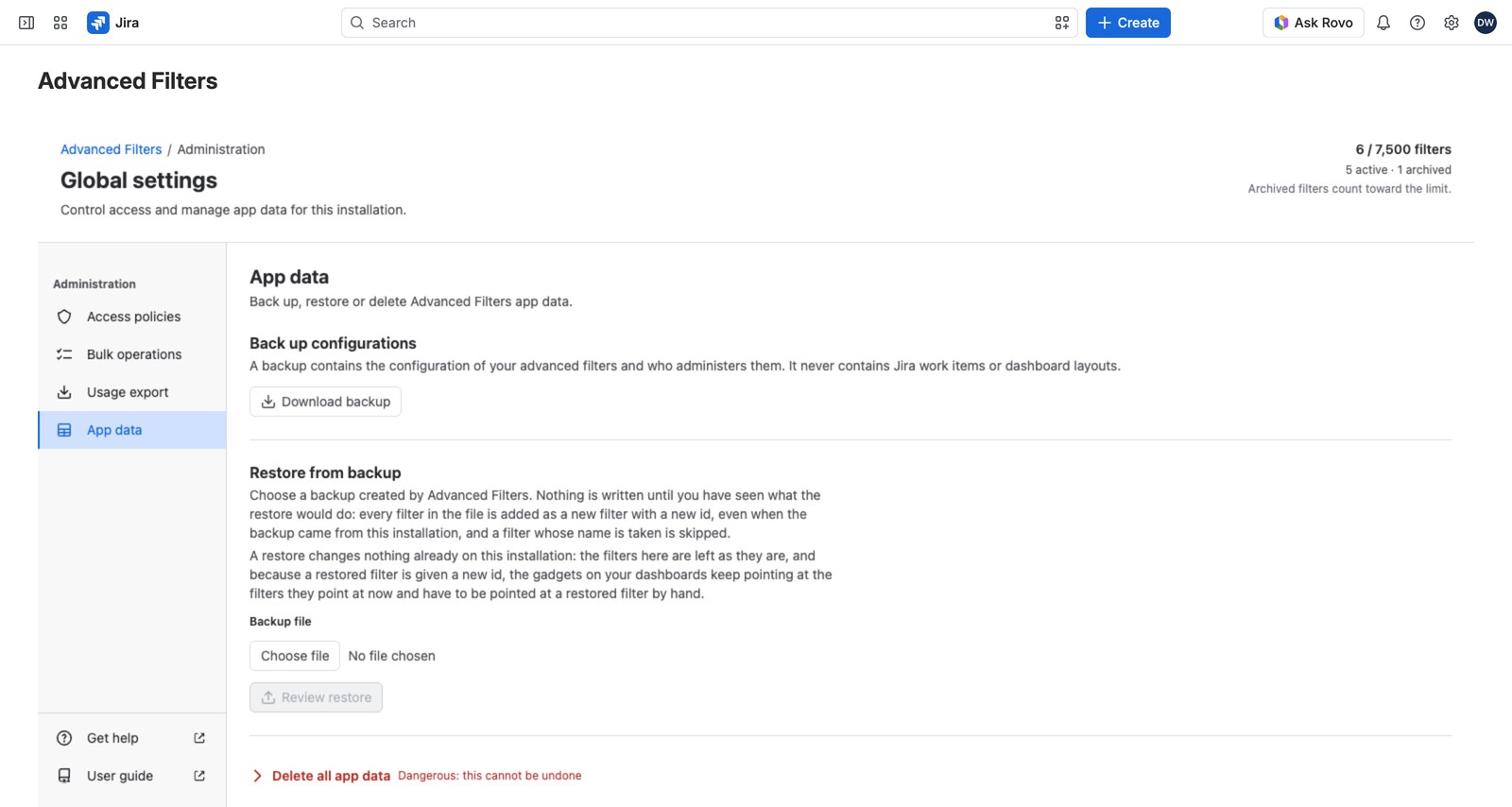
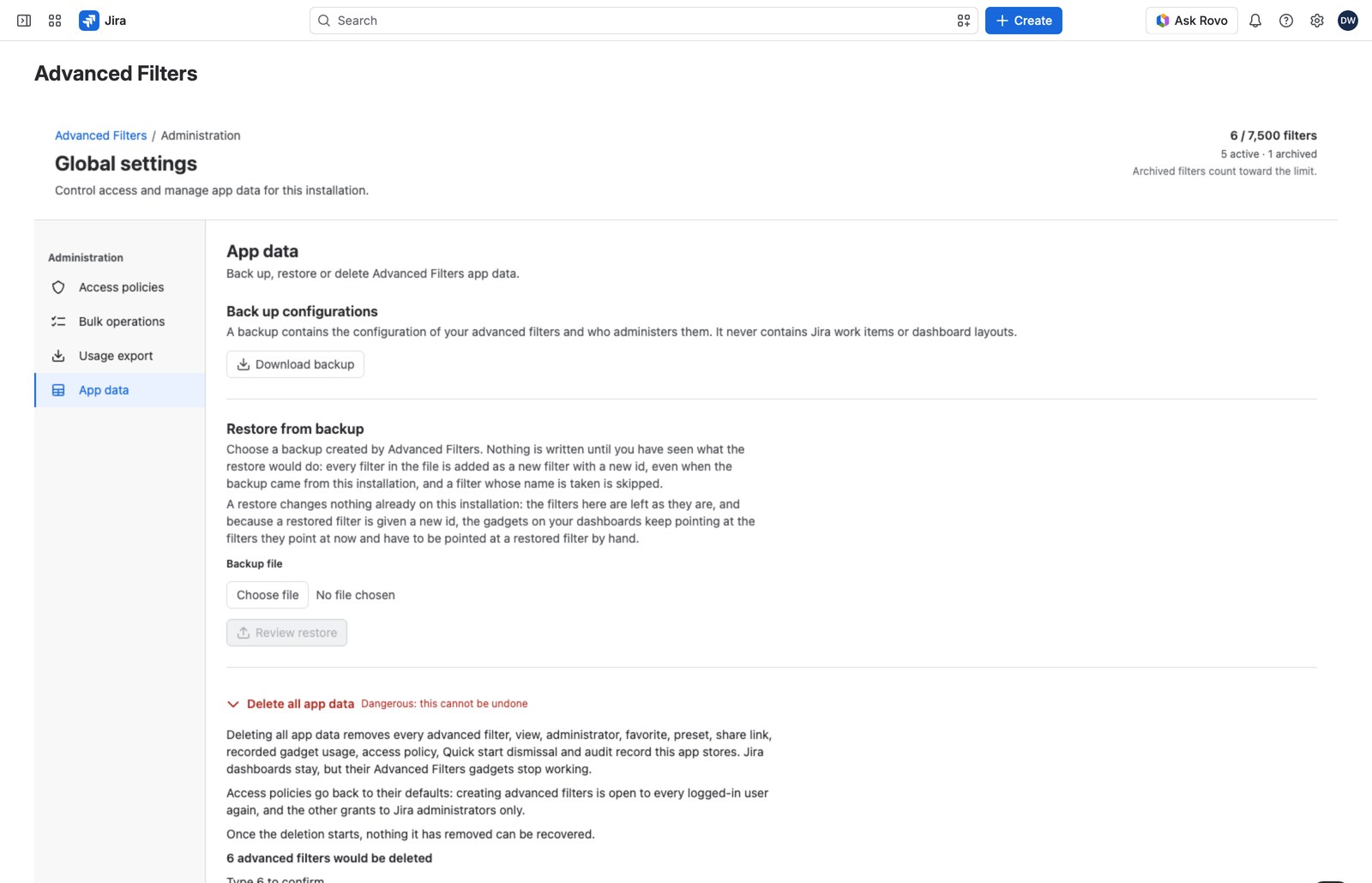
At the bottom of the panel, collapsed and in red: Delete all app data.
It’s also the one action that widens permissions: access policies reset to their defaults, so creating advanced filters opens back up to everyone logged in.
The safeguards #
- Request deletion stays disabled until you type the exact number of filters the installation currently holds. The server recomputes that number when you submit, so a stale page can’t confirm an out-of-date count.
- There’s then a 7-day grace period. Any Jira administrator can cancel it right up until the sweep begins, and the page shows who requested it and when it will run.
While a request stands, other administrative writes (policy saves, bulk operations, restores) are refused, though everyday use of the app carries on. Once the sweep starts it can’t be canceled, and if it’s interrupted the next scheduled run resumes it.
Who can do what here #
Everything on this panel is reserved to a Jira site or organization administrator and can’t be delegated. There’s one exception: taking a backup can be delegated through the Export usage and backups grant. See Access policies.


